

Loading...

JWT Authentication in Node.js: A Step-by-Step Guide

JWT Authentication in Node.js: A Step-by-Step Guide

Jeevan

25 September, 2025

JWT Logo


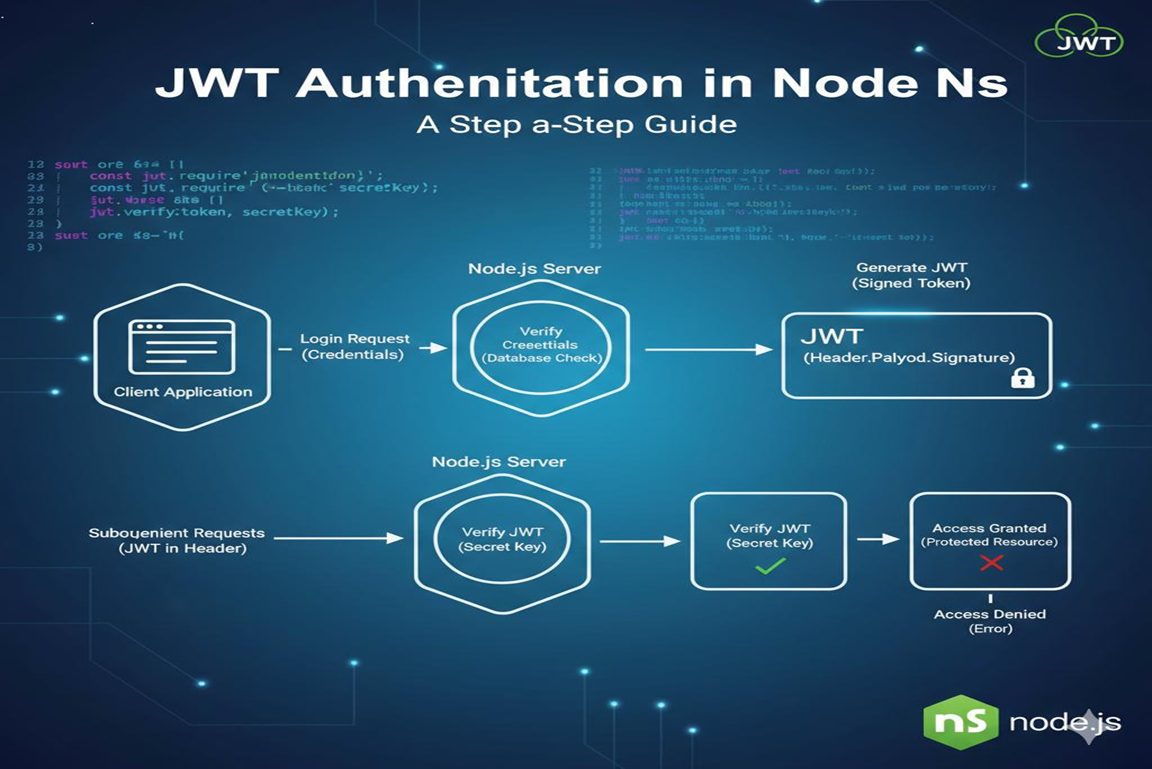
JSON Web Tokens (JWT) are a widely-used method for securely transmitting information between parties as a JSON object. In Node.js applications, JWT is commonly used for user authentication and authorization. This guide will walk you through implementing JWT authentication in a Node.js application step by step.

Why JWT Authentication?

JWT allows you to create stateless authentication systems, meaning the server does not need to store session information. It’s secure, scalable, and works seamlessly with APIs. By using JWT, you can protect routes, verify users, and ensure secure communication between client and server.

Step-by-Step Guide to JWT Authentication in Node.js

1. Set Up Your Node.js Project

First, create a new project folder and initialize it:

mkdir jwt-auth-demo
cd jwt-auth-demo
npm init -y

Install the necessary packages:

npm install express jsonwebtoken bcryptjs body-parser

express – For creating the server.
jsonwebtoken – For generating and verifying JWTs.
bcryptjs – For hashing passwords.
body-parser – For parsing incoming request bodies.

2. Create a Basic Express Server

Create a file server.js:

const express = require('express');
const bodyParser = require('body-parser');

const app = express();
app.use(bodyParser.json());

app.get('/', (req, res) => {
  res.send('JWT Authentication Demo');
});

app.listen(3000, () => {
  console.log('Server running on http://localhost:3000');
});

3. Implement User Registration

In a real application, you’d store users in a database. For simplicity, we’ll use an in-memory array:

const users = [];
const bcrypt = require('bcryptjs');

app.post('/register', async (req, res) => {
  const { username, password } = req.body;
  const hashedPassword = await bcrypt.hash(password, 10);
  users.push({ username, password: hashedPassword });
  res.send('User registered successfully!');
});

This hashes the user’s password before storing it, ensuring security.

4. Implement User Login with JWT

const jwt = require('jsonwebtoken');

app.post('/login', async (req, res) => {
  const { username, password } = req.body;
  const user = users.find(u => u.username === username);
  if (!user) return res.status(400).send('User not found');

  const isMatch = await bcrypt.compare(password, user.password);
  if (!isMatch) return res.status(400).send('Invalid credentials');

  const token = jwt.sign({ username: user.username }, 'your-secret-key', { expiresIn: '1h' });
  res.json({ token });
});

This generates a JWT token that expires in 1 hour.

5. Protect Routes Using JWT

const authenticate = (req, res, next) => {
  const token = req.header('Authorization')?.replace('Bearer ', '');
  if (!token) return res.status(401).send('Access denied');

  try {
    const verified = jwt.verify(token, 'your-secret-key');
    req.user = verified;
    next();
  } catch (err) {
    res.status(400).send('Invalid token');
  }
};

app.get('/protected', authenticate, (req, res) => {
  res.send('This is a protected route. Welcome ' + req.user.username);
});

Now, only users with a valid JWT can access the protected route.

How This Helps You

Implementing JWT authentication allows you to create secure, stateless authentication for your Node.js applications. This approach can be extended to APIs, microservices, and frontend-backend integrations, giving you full control over user access and authorization.

Conclusion

JWT authentication in Node.js is powerful and straightforward. By following these steps—setting up the project, registering users, generating tokens, and protecting routes—you can secure your application efficiently. Once comfortable, you can integrate databases, refresh tokens, and more advanced authentication features to build robust and scalable applications.

RECENT POSTS

How E-Learning and EdTech Platforms Can Scale Using Microservices

Every edtech founder we’ve worked with at Speqto Technologies has faced the same 2 AM problem: the platform crashes right when 50,000 students log in for a live mock test, or the video server chokes during a scheduled webinar, or the payment gateway times out during a fee-payment rush before an admission deadline. If your […]

Why Regular Security Audits Matter for Banking-Adjacent Platforms

At Speqto Technologies, we’ve spent the last few years building and securing platforms that sit right next to banking rails — payment gateways, lending apps, wealth management dashboards, neobank front-ends. And if there’s one pattern we keep seeing, it’s this: companies invest heavily in their core product but treat security audits as a compliance checkbox […]

Choosing the Right Tech Stack for a Series A Fintech Startup

Once a fintech startup closes its Series A, the conversation in the boardroom shifts. It’s no longer just about proving the idea works — it’s about proving it can scale, survive an audit, and handle ten times the transaction volume without falling over. At Speqto Technologies, we’ve sat in on enough of these conversations with […]

How Kafka and Event-Driven Architecture Solve Data Sync Problems in BFSI Systems

Every BFSI or fintech platform we’ve worked with at Speqto Technologies eventually runs into the same wall: multiple systems — core banking, CRM, payment gateway, risk engine, notification service — all need the same piece of data, but they need it at different times, in different formats, and none of them trust the others to […]

Building Real-Time Dashboards for Operations and Compliance Teams: What Actually Works

A few months back, we sat in a review call with the ops head of a mid-sized NBFC. His complaint was simple: “By the time my team sees a problem in the report, the problem is already three hours old.” His compliance officer, sitting right next to him, had a similar issue — she was […]

POPULAR TAG

POPULAR CATEGORIES